The Settings screen is the first screen you’ll see when launching the app for the first time.
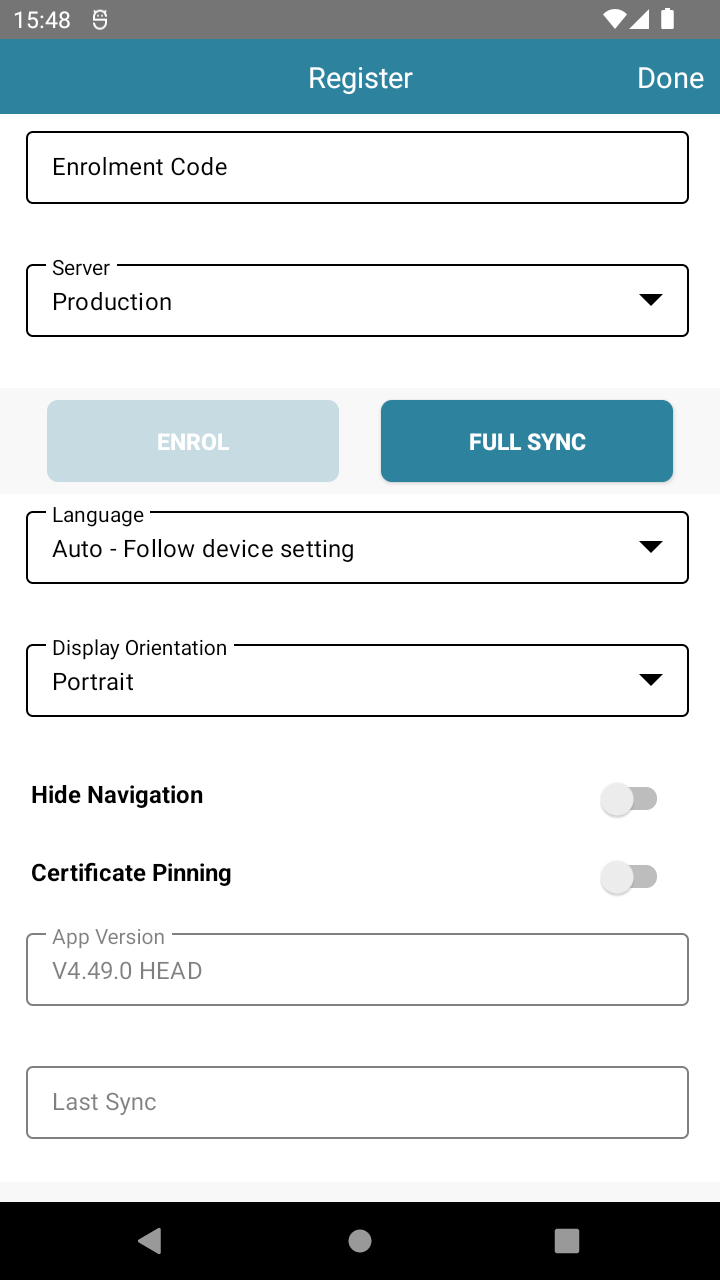
Here, you can:
- Enter your enrolment code (provided by your Solution Provider) to link the terminal to your account.
- Change the application language.
- Check the app version.
- Run a Full Sync to re-download all settings.
📍 To access Settings later: From the Login screen, tap the kebab menu ( ᎒ ) in the top right, then tap Settings.
📘 Learn more:

