The End of Day process, also known as a Z Read, generates a summary of all transactions since the last Z Report. This step is essential for daily reconciliation and will also trigger batch close / settlement on many integrated payment terminals or applications.
🔐 Access Control
By default, only Supervisor Users can perform the End of Day.
📲 Steps to Perform End of Day:
- Log into the device using a Supervisor account.
- Tap the Menu ( ☰ ) in the top-left corner.
- Select End of Day.
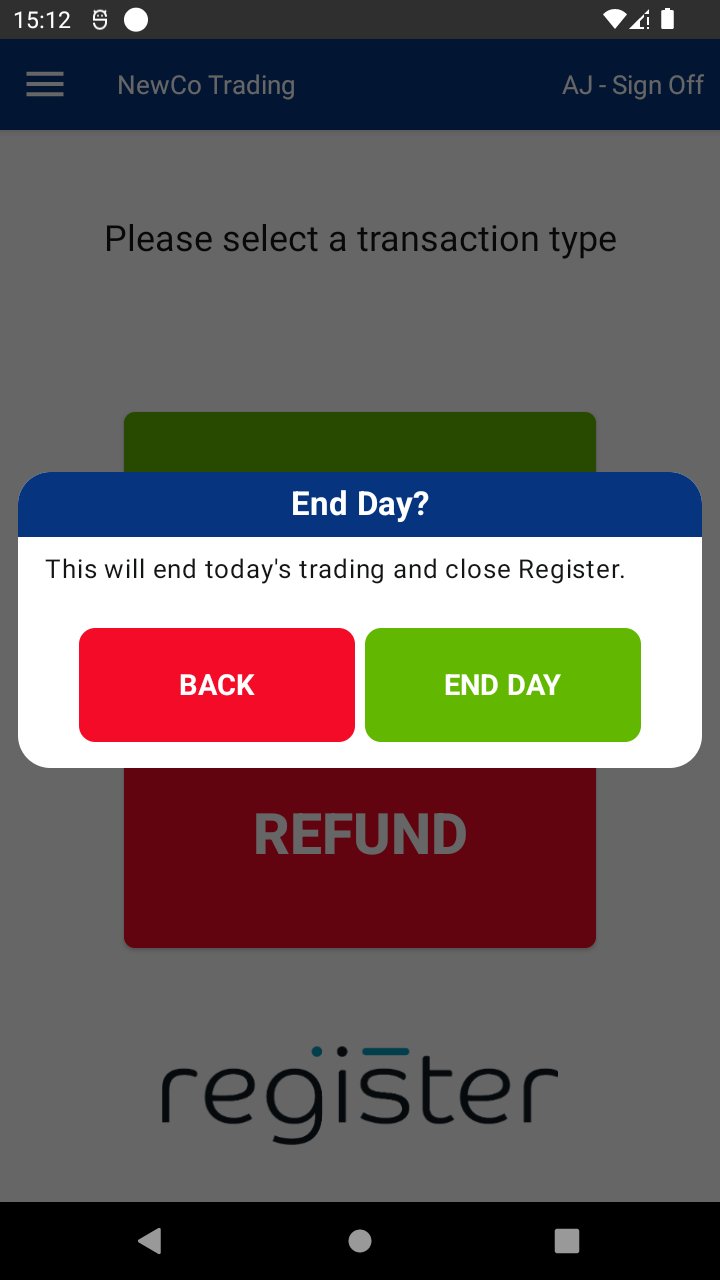
- A confirmation prompt will appear — tap End Day to proceed.
- The Z Report will be displayed, summarizing:
- Time period
- Total sales
- Refunds
- Payment types
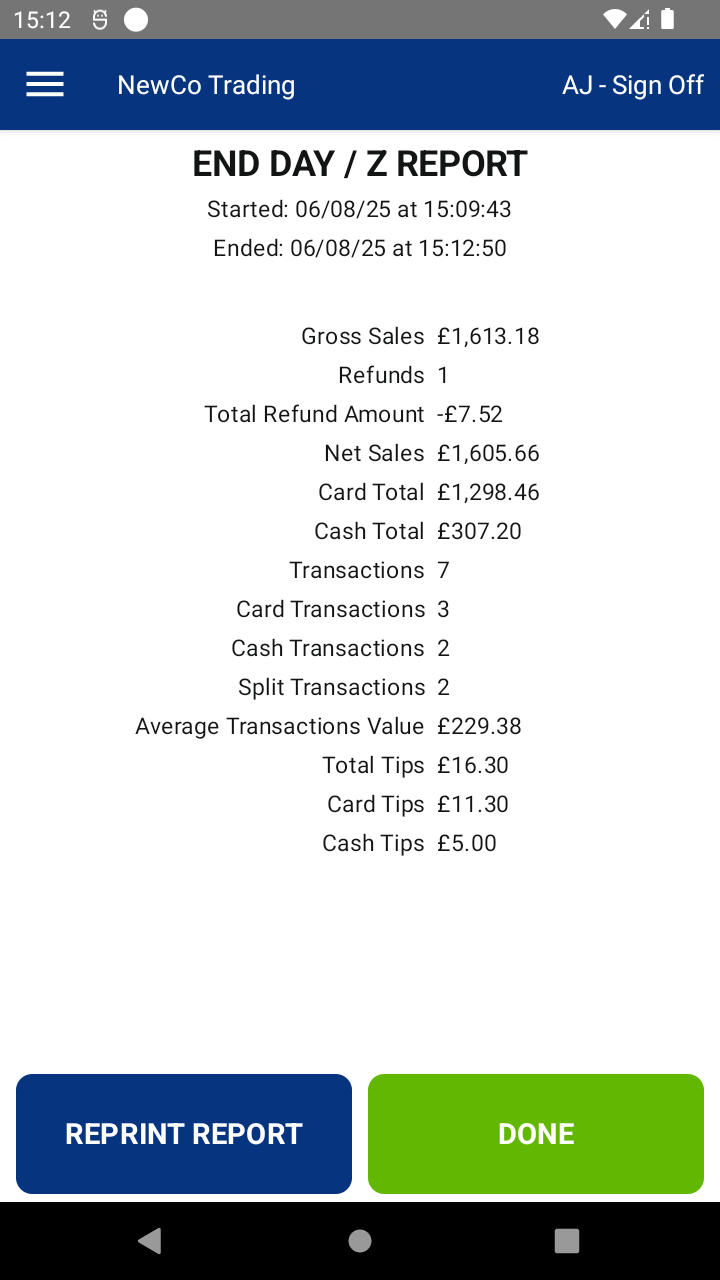
- Tap Print Report to print a physical copy (optional).
- Tap Done to return to the login screen, ready for the next trading day.
💡 Tip: It’s best practice to complete the End of Day at the close of business each day to ensure clean records and timely settlements.

