Customizing the receipt header and footer allows you to personalize your receipts with business information, branding, or legal disclaimers.
Please contact your Solution Provider with the exact text you would like to appear at the top (header) and bottom (footer) of the receipt.
📞 How to Find Your Solution Provider’s Support Information:
You can locate support contact details directly from your device or the Web Portal:
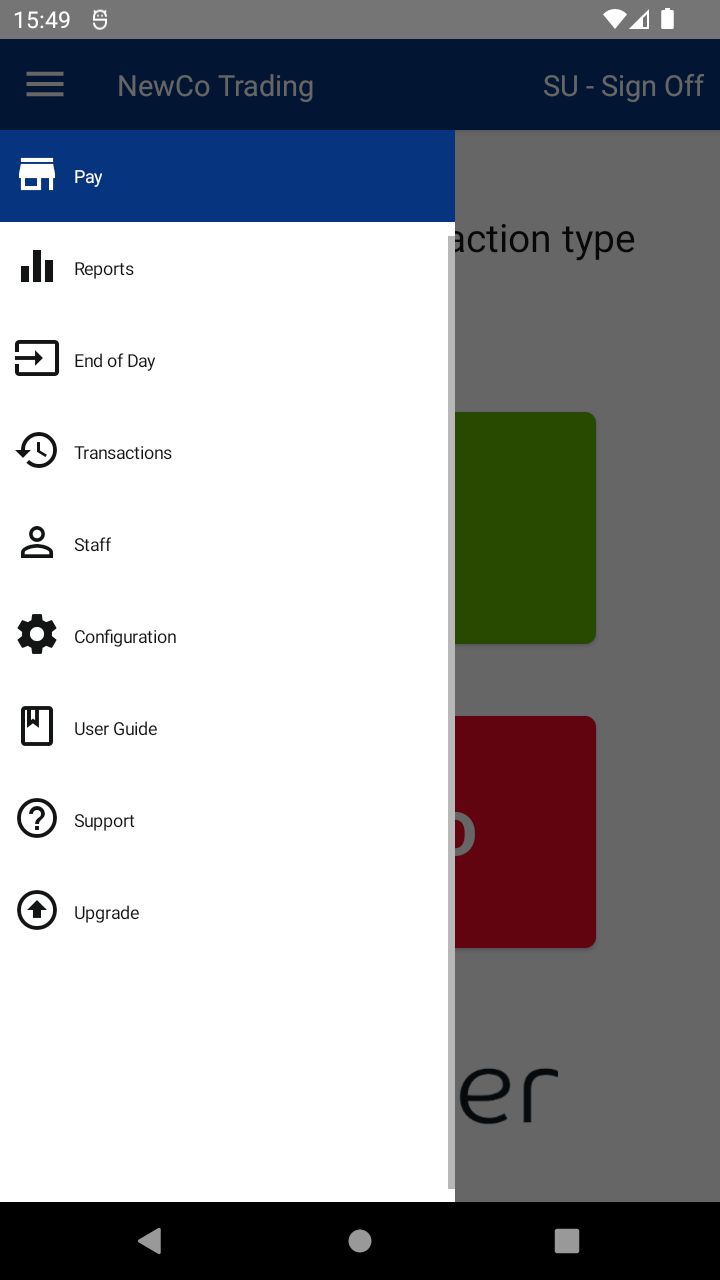
- On the device (when logged in):
- Tap the Menu ( ☰ ) in the top-left corner.
- Tap Support.
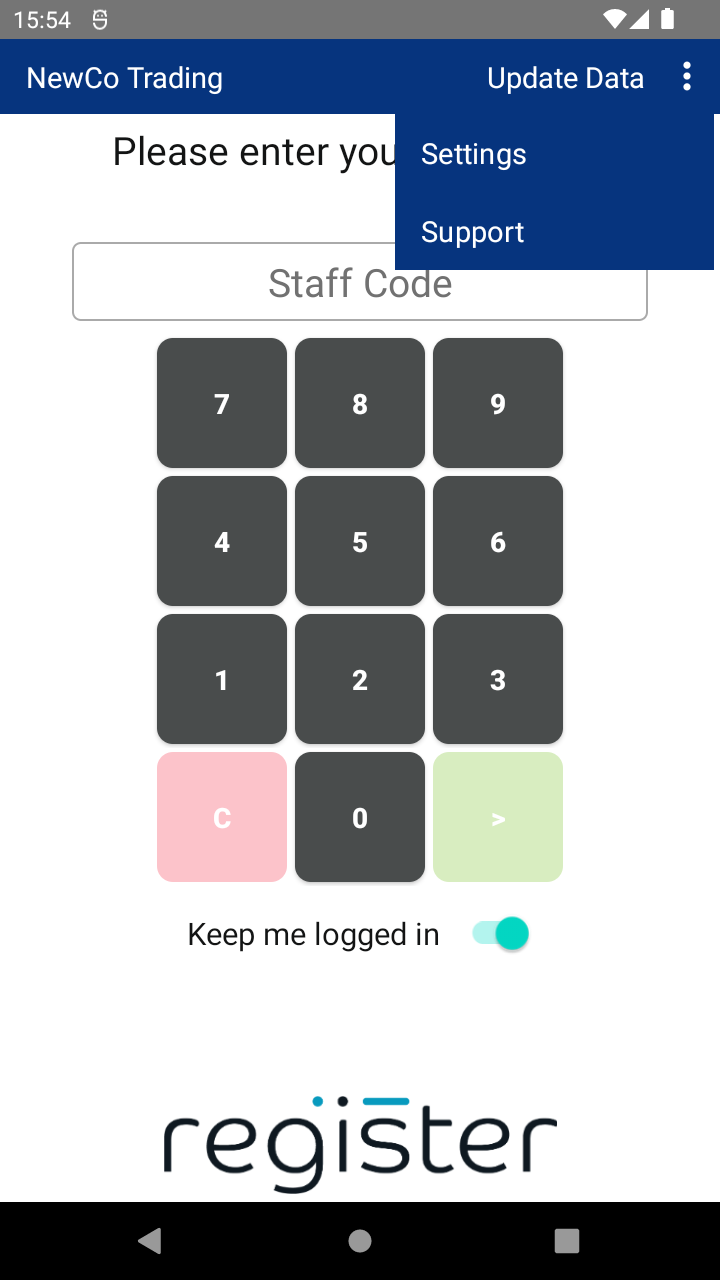
- On the device (from the login screen):
- Tap the Kebab menu ( ᎒ ) in the top-right corner.
- Tap Support.
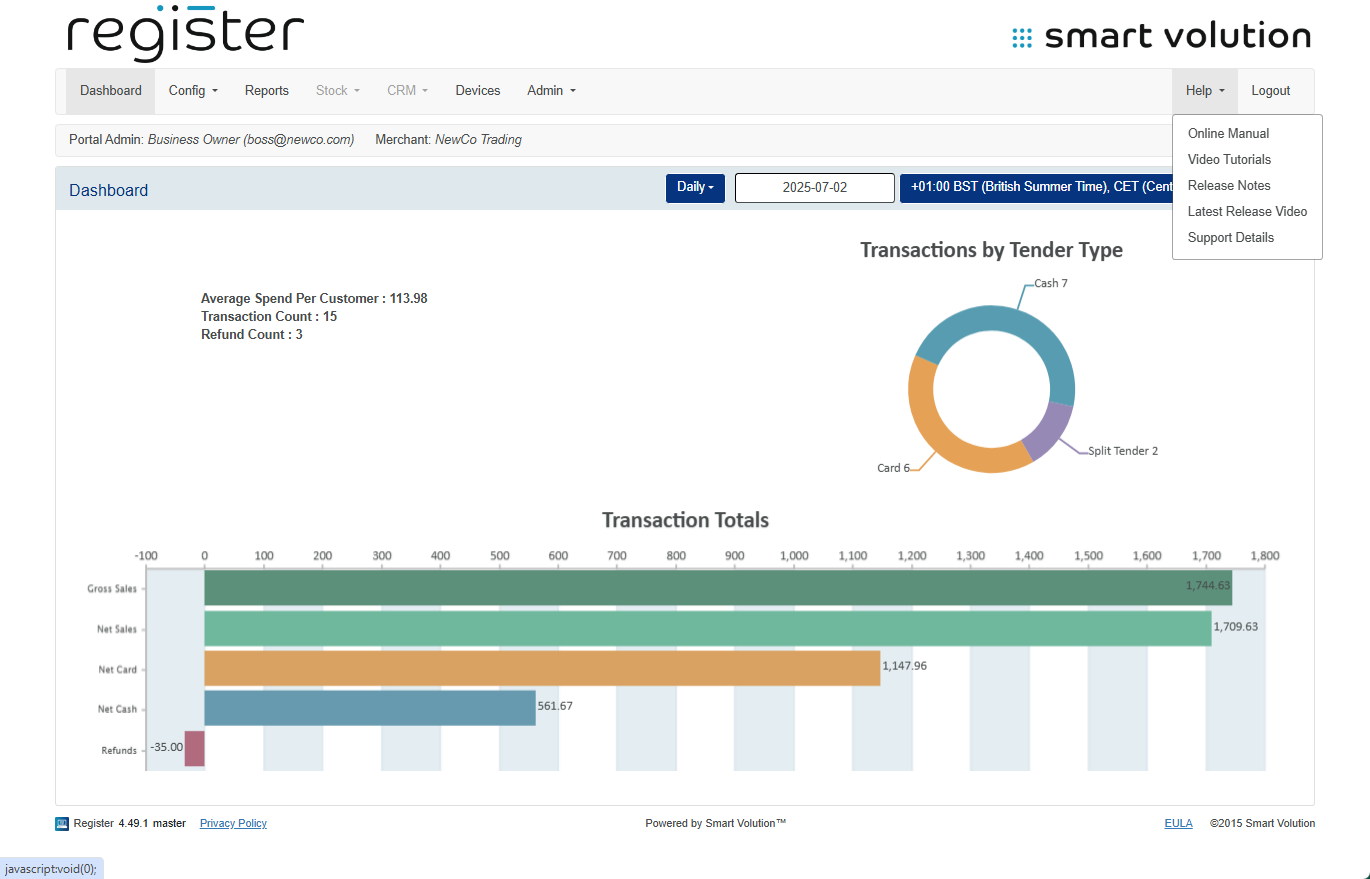
- On the Web Portal:
- Log in, then click Help on the top navigation bar.
- Click Support Details.
Once you provide your Solution Provider with the desired text, they will update the configuration on your behalf.

