Need to remove someone from your staff list? You can do this easily through the Web Portal.
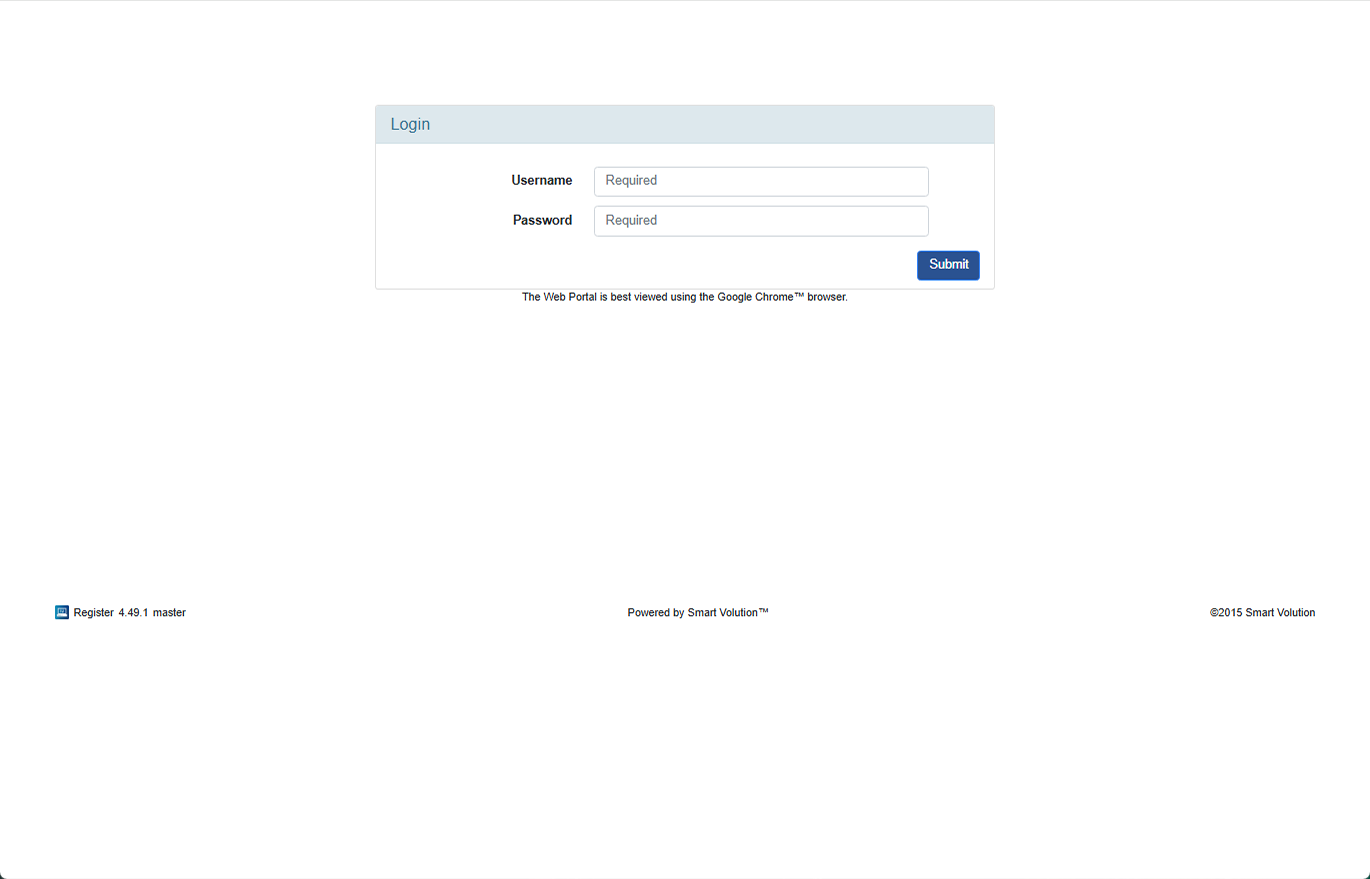
- Log in to the Web Portal using the login details provided by your Solution Provider.
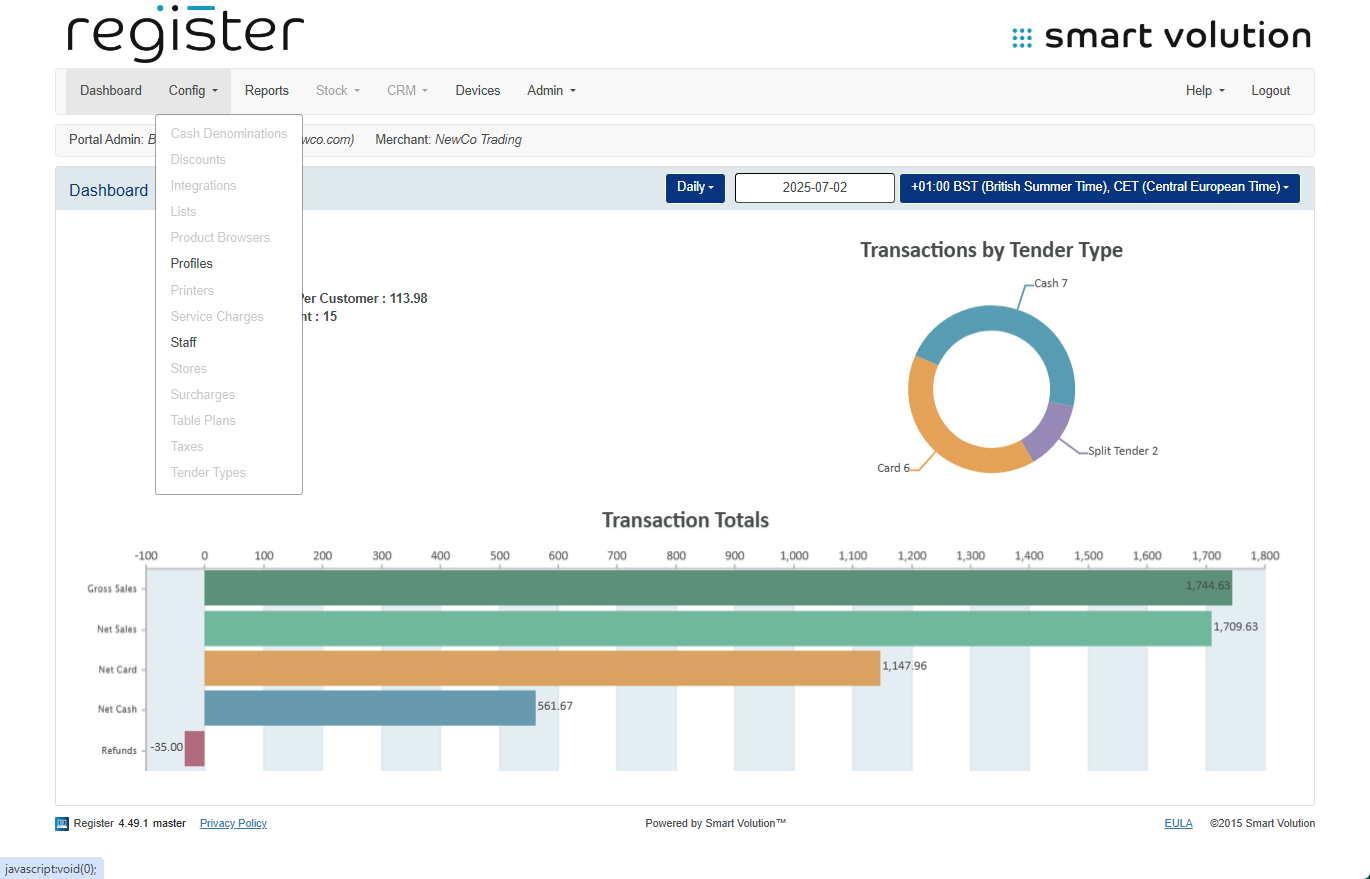
- At the top of the screen, click Config, then choose Staff from the dropdown.
- You’ll see a list of all staff members on your system.
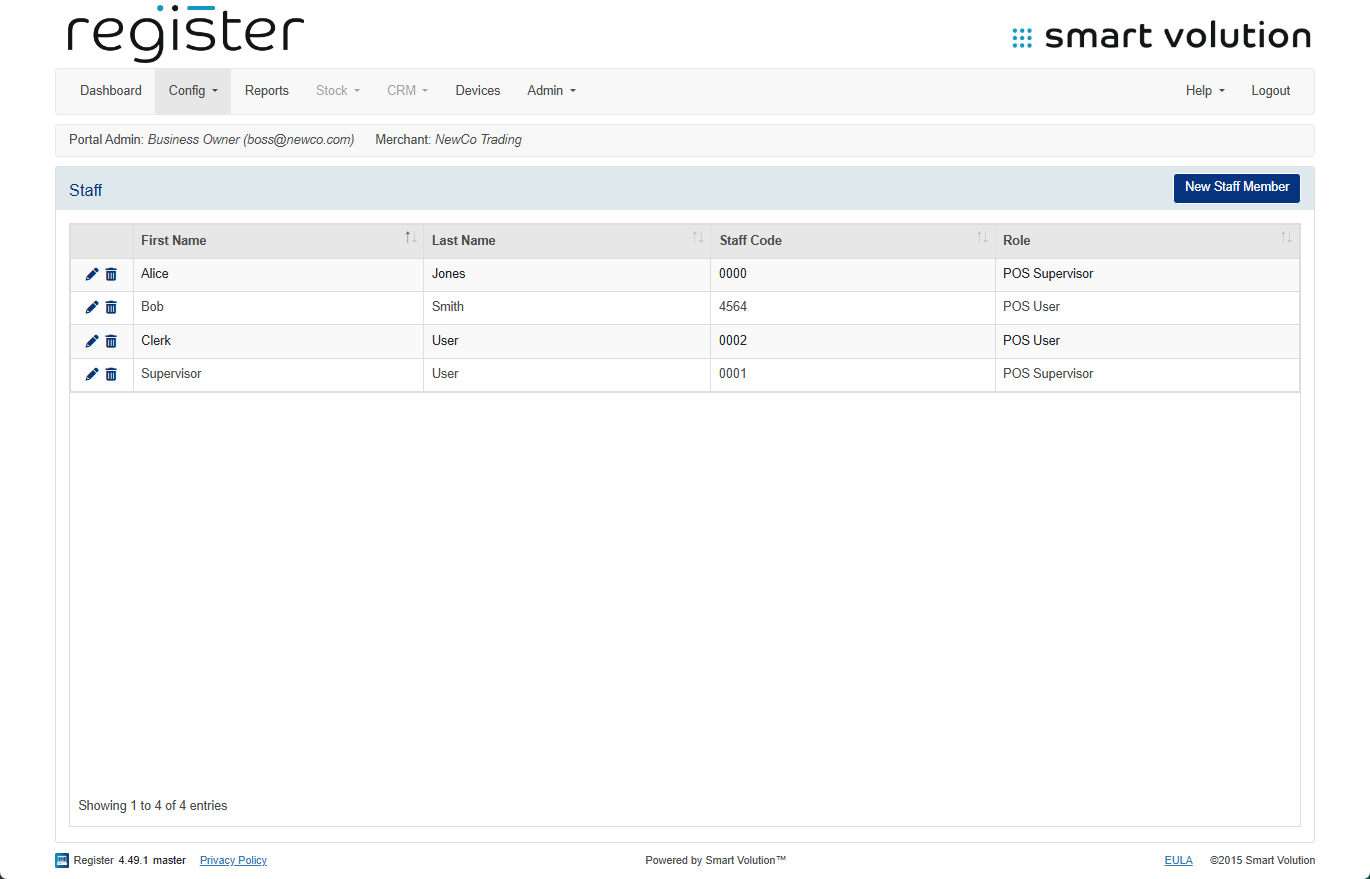
- To delete someone, click the trash can icon 🗑 next to their name.
- A pop-up will appear—just click Yes to confirm.
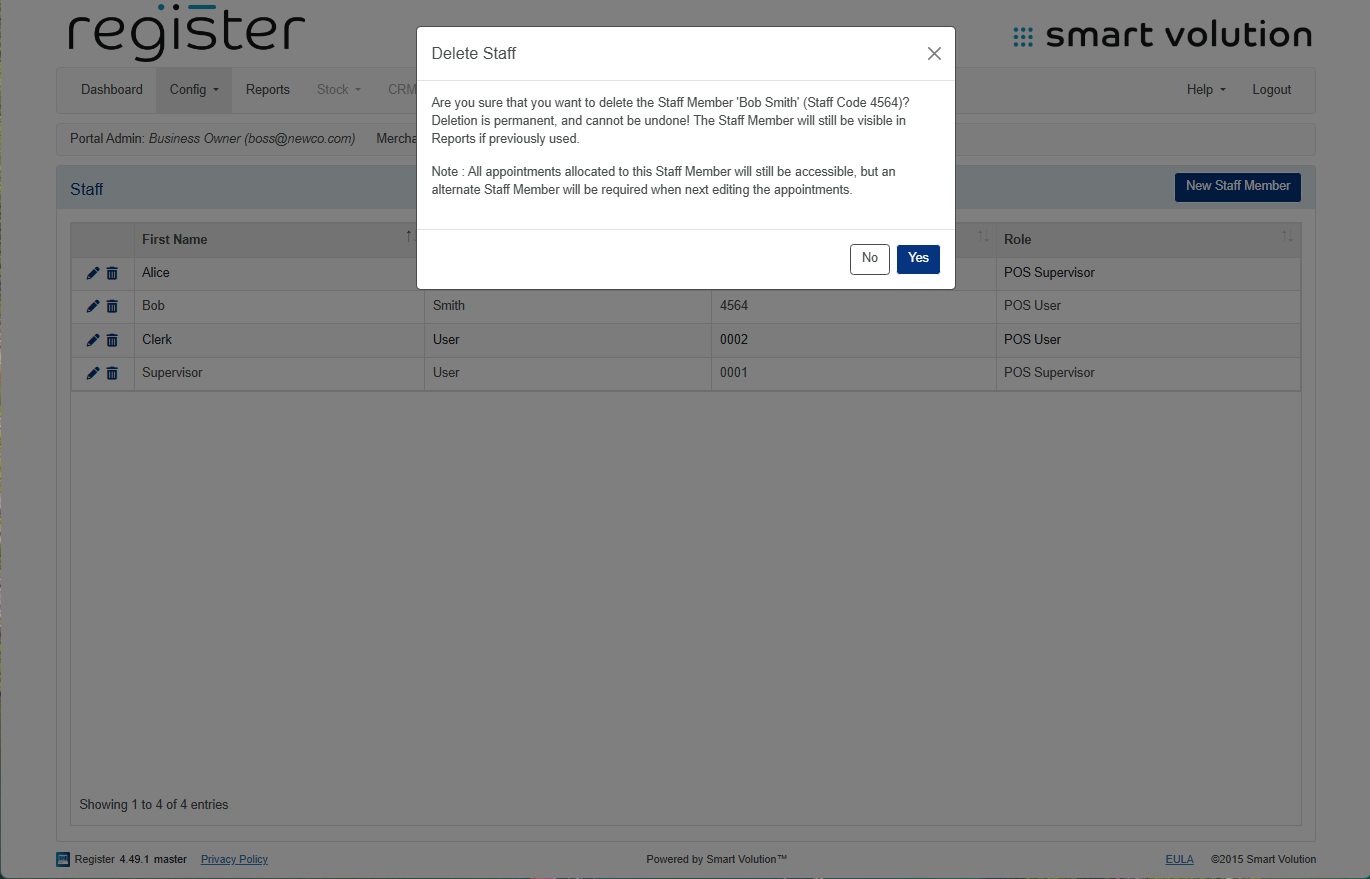
🚨 Remember:
Deleting a staff member is permanent, so double-check before confirming.
📘 Learn more:

