The Staff screen allows you to manage team members who can access and operate the system.
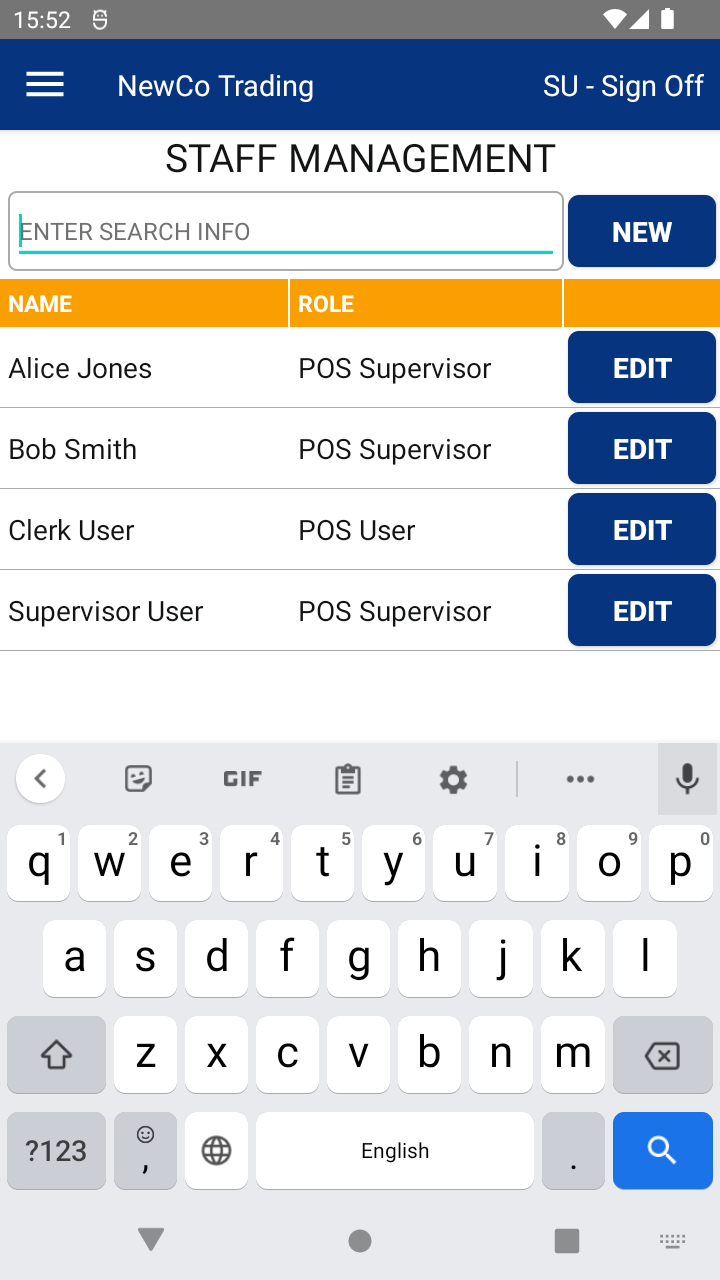
From this screen, you can:
🔍 Search staff – Quickly locate a staff member by typing their name into the search bar.
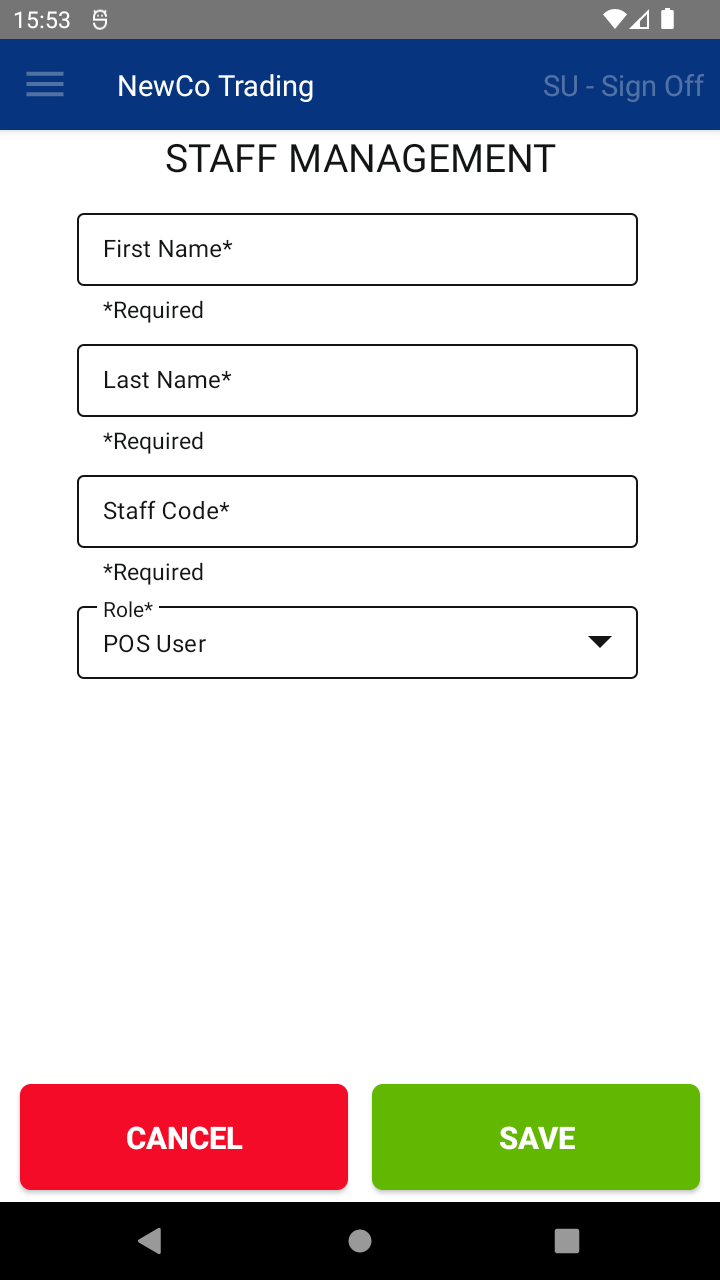
➕ Add a new staff member – Click the New Staff button to create a new user profile.
✏️ Edit staff member details – Click the edit icon (✎) next to a staff member to:
Update their role (e.g. Standard User, Supervisor)
Change or reset their staff code for secure login access
📘 Learn more:

