Supervisors can easily add a new staff member right from your device. Here's how:
- Log in to the device.
- Tap the Menu ( ☰ ) in the top left corner.
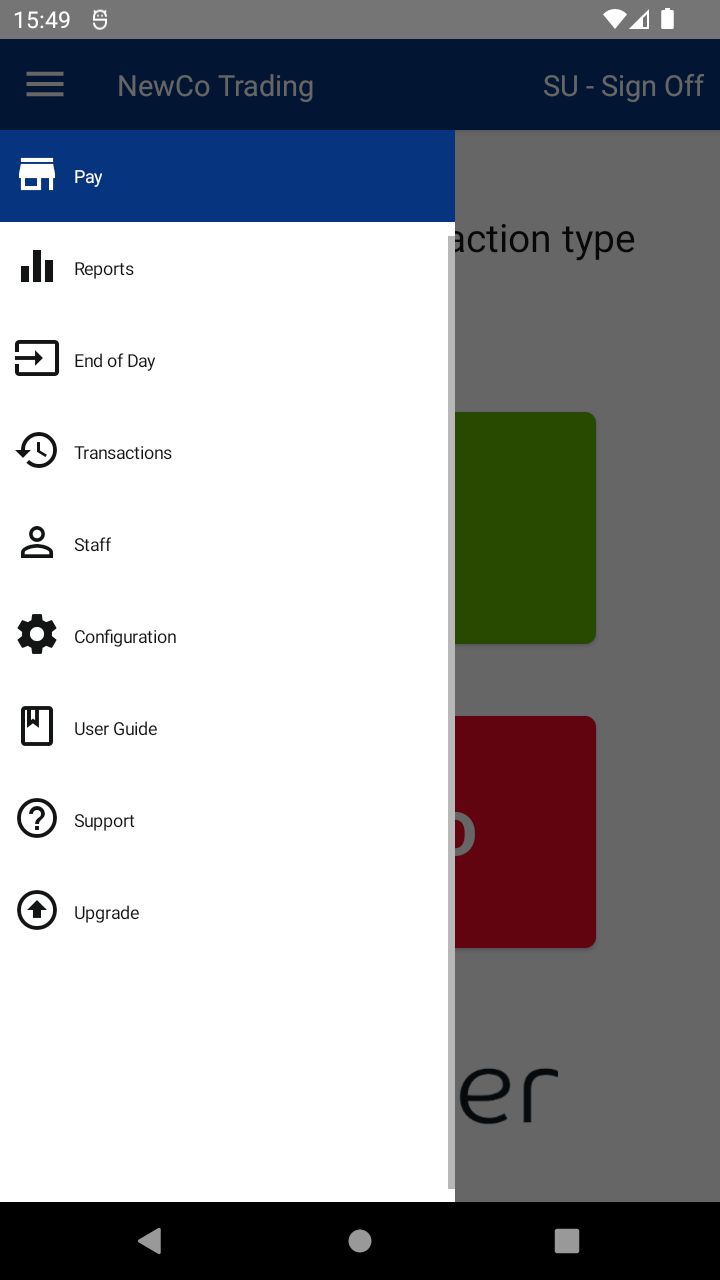
- Tap Staff to open the Staff Management screen.
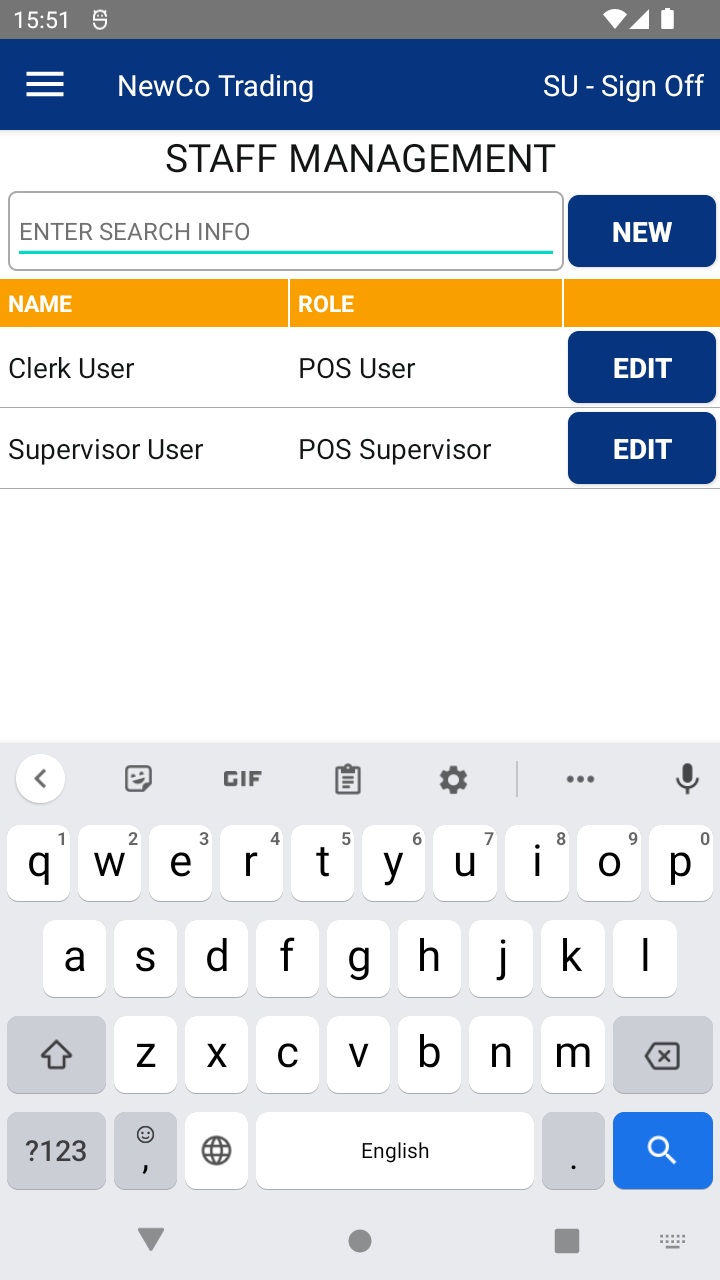
- Tap the NEW button ➕.
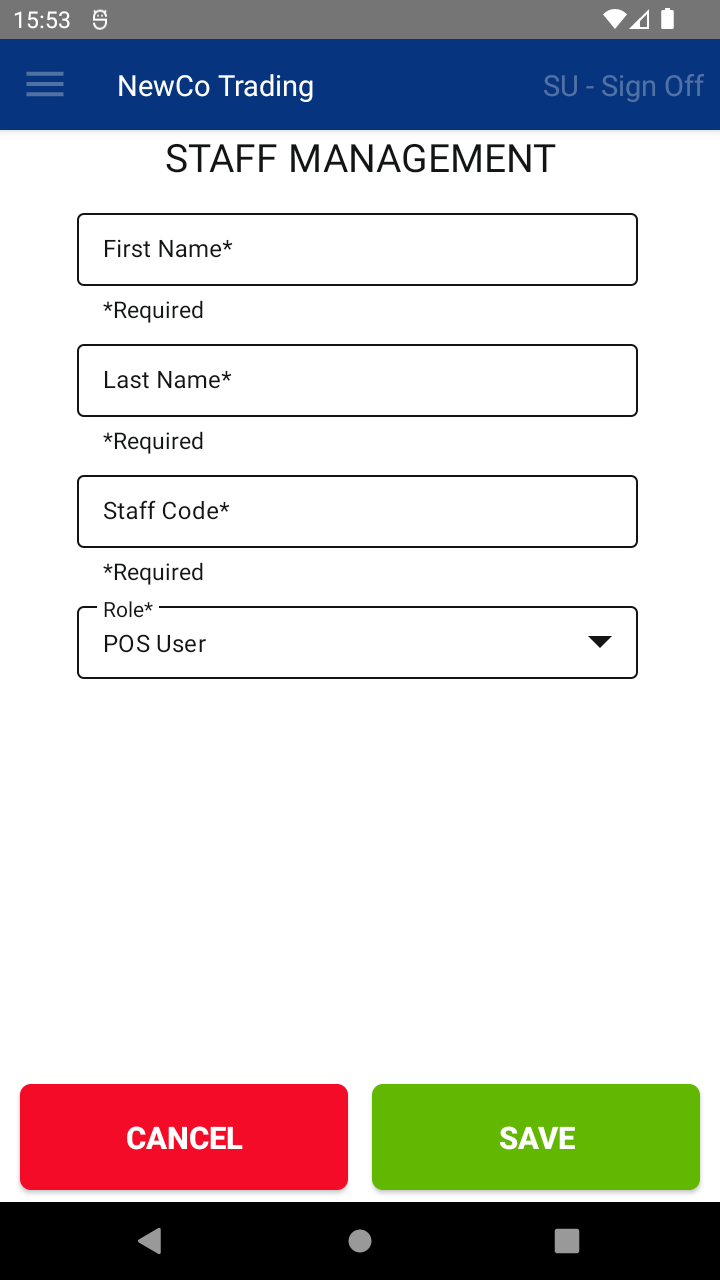
- Enter the staff member’s details, then tap SAVE 💾.
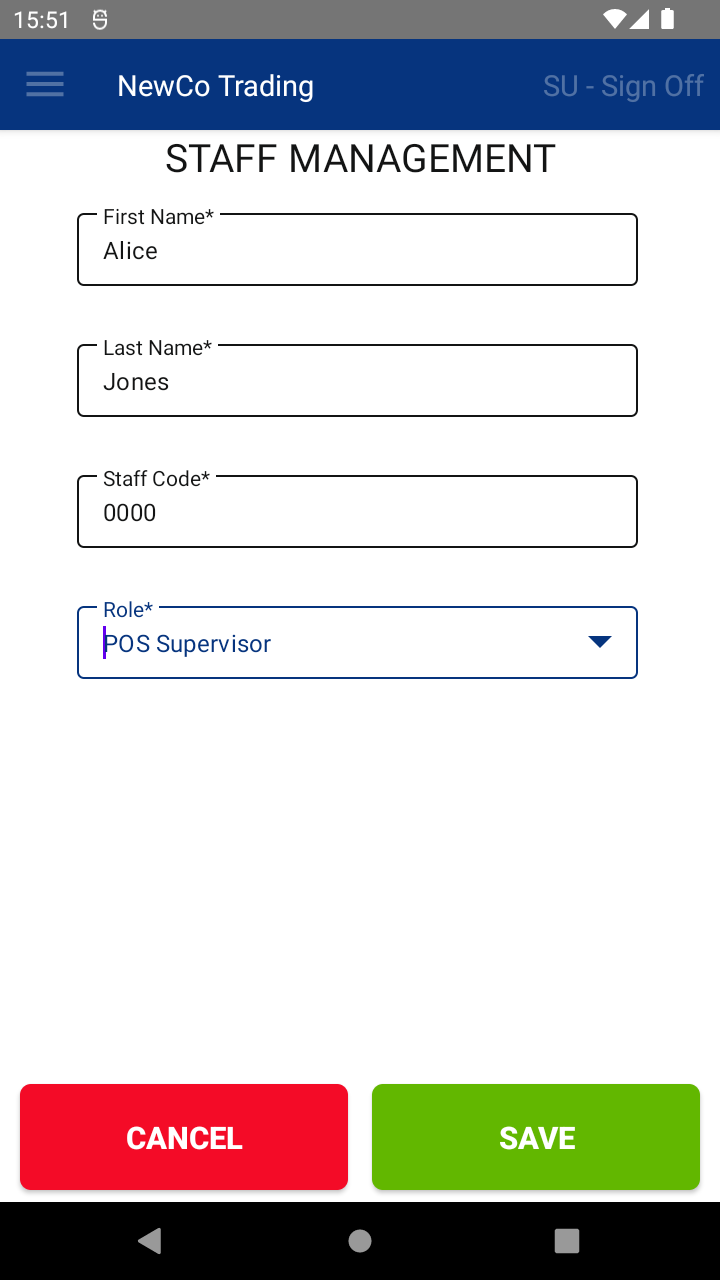
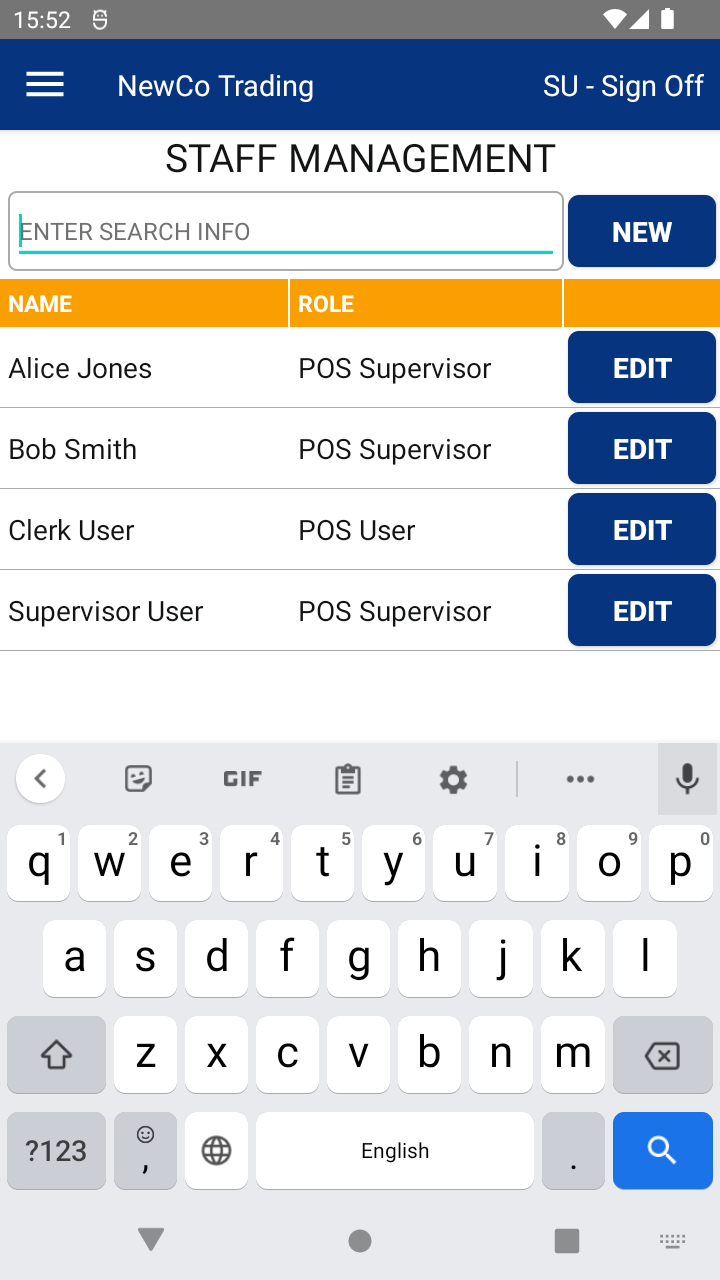
That’s it! The new staff member will now appear in your staff list.
🔄 To make sure the new staff shows on all devices and the Web Portal, tap Update Data on the login screen.
📘 Learn more:

