Need to update a staff member’s name, code, or role? You can do it right from the device—here’s how:
- Log in to the device.
- Tap the Menu ( ☰ ) in the top left corner.
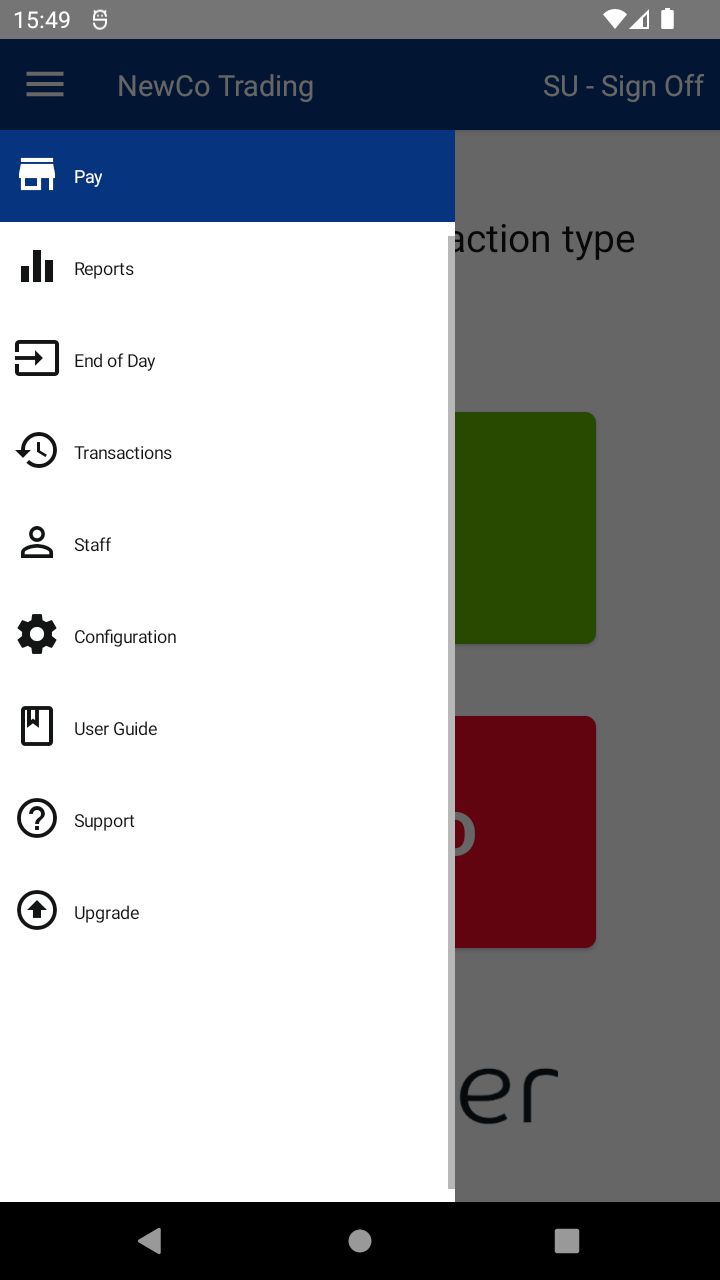
- Tap Staff to open the Staff Management screen.
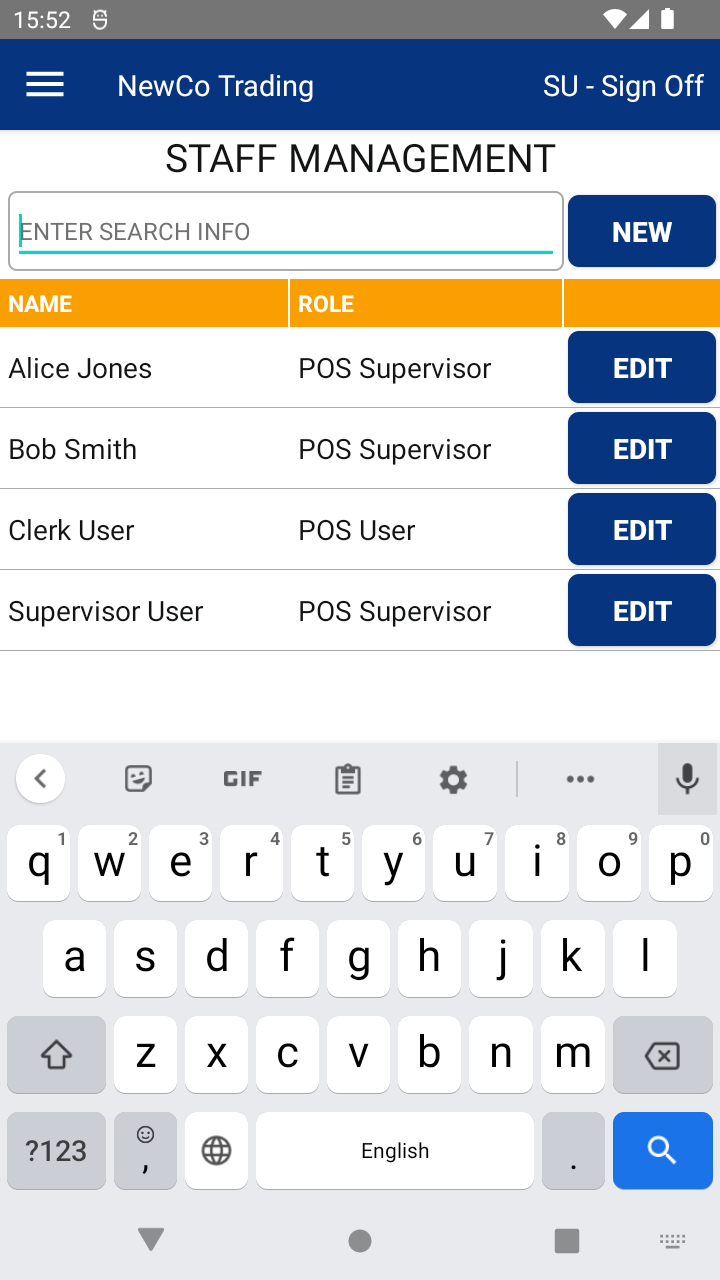
- Find the staff member you want to update and tap the EDIT button.
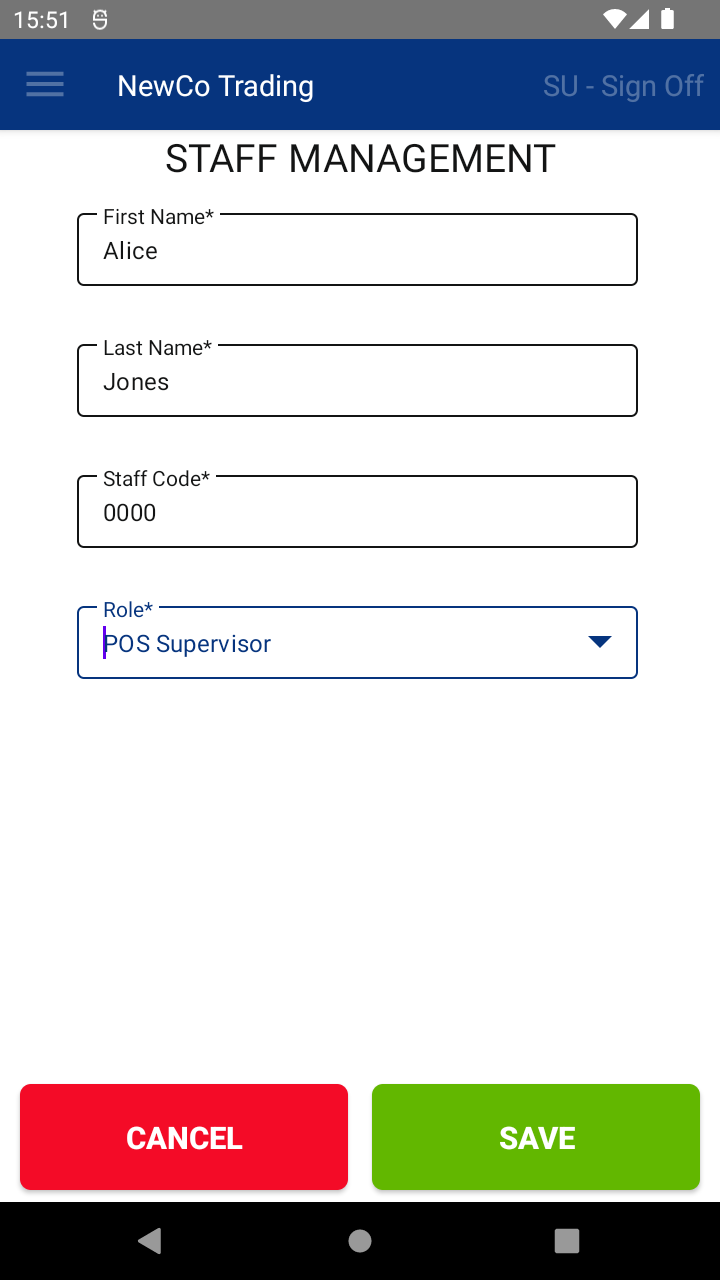
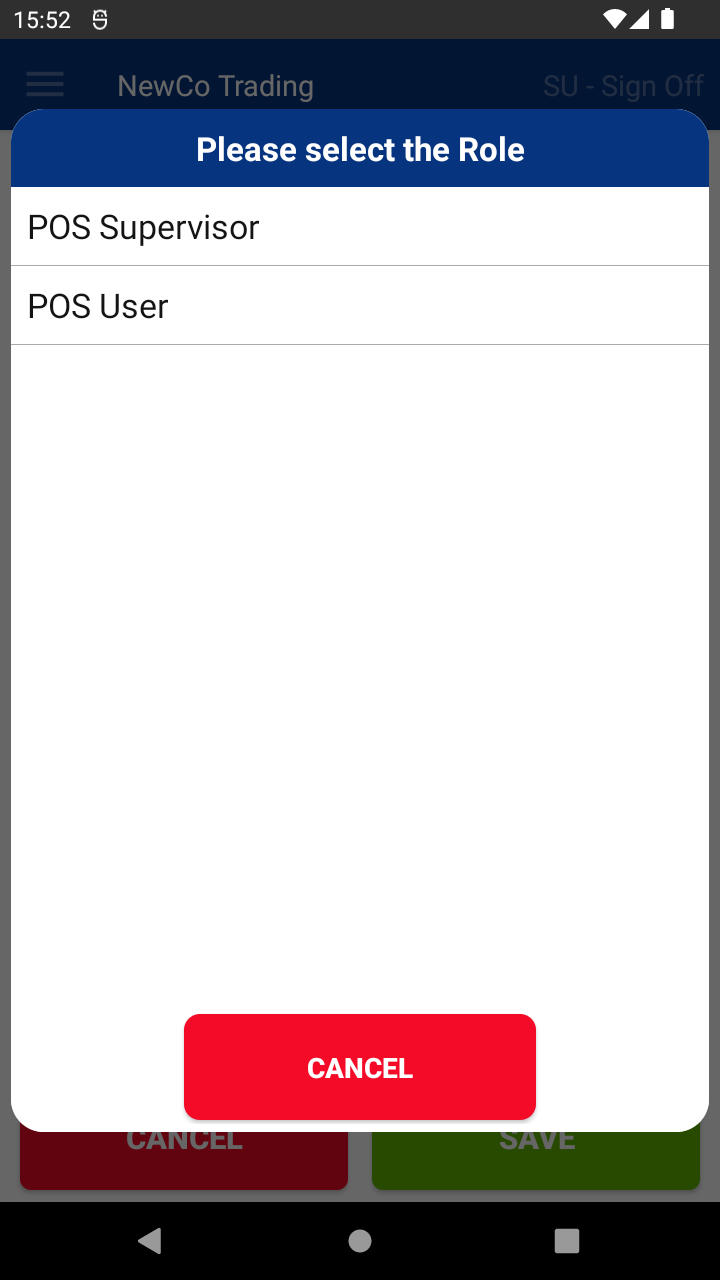
- Update their details (like name, code, or role), then tap SAVE.
✅ That’s it! The changes will be saved.
🔄 To sync updates across all devices and the Web Portal, tap Update Data on the login screen.
📘 Learn more:

