You can access reports directly from your terminal:
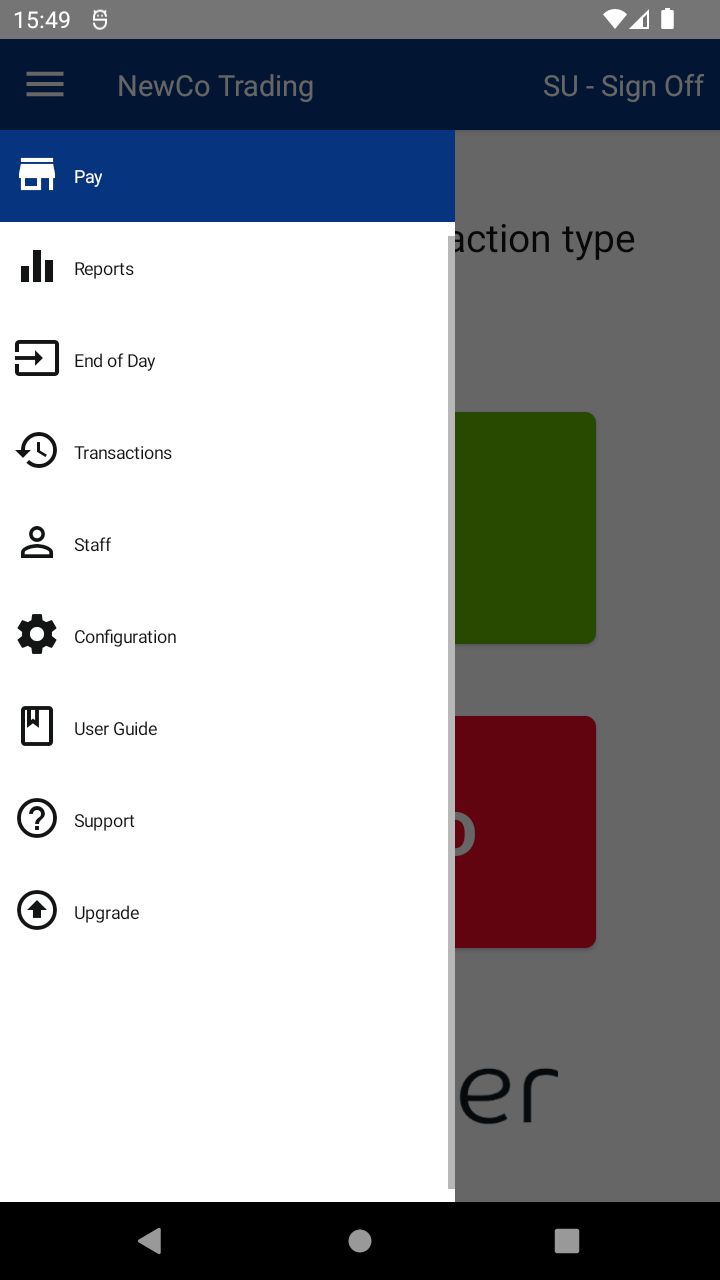
🧭 Steps to Access Reports:
- Tap the Menu ( ☰ ) in the top left corner
- Select Reports
📄 Available Reports:
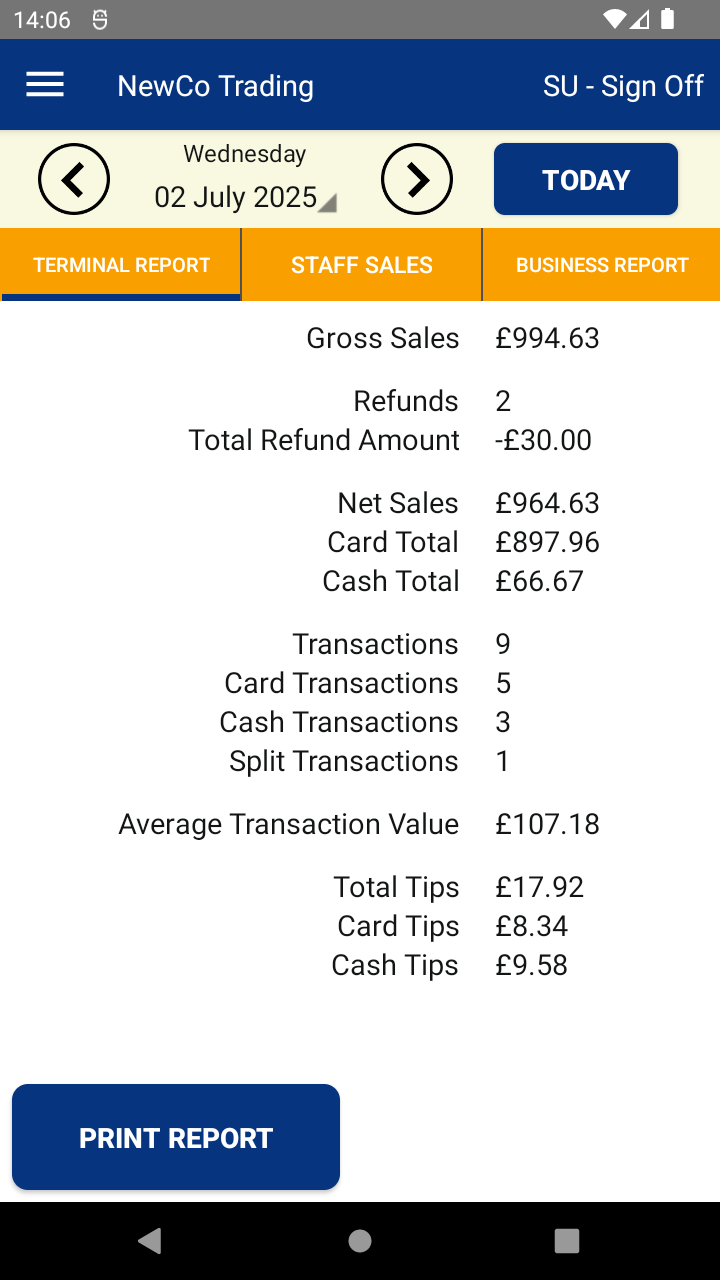
- Terminal Report – Daily sales totals for the device you're using
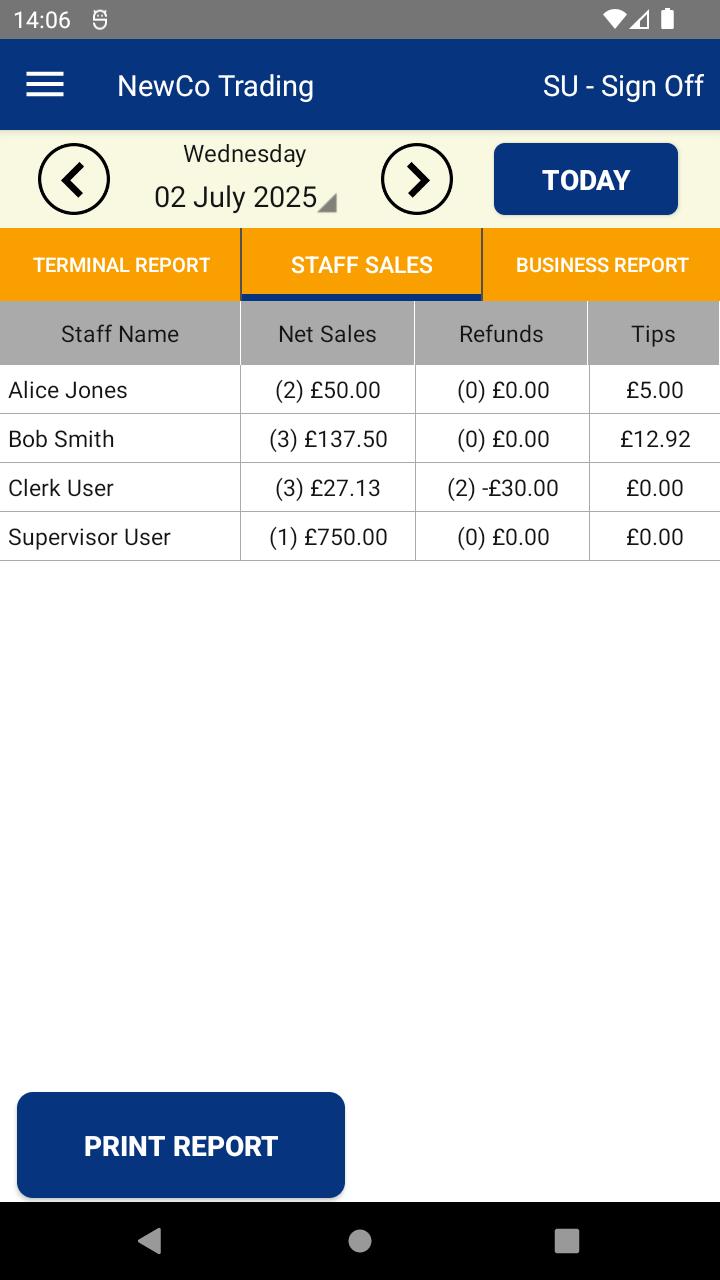
- Staff Sales Report – Daily sales totals for the device you're using split by staff member
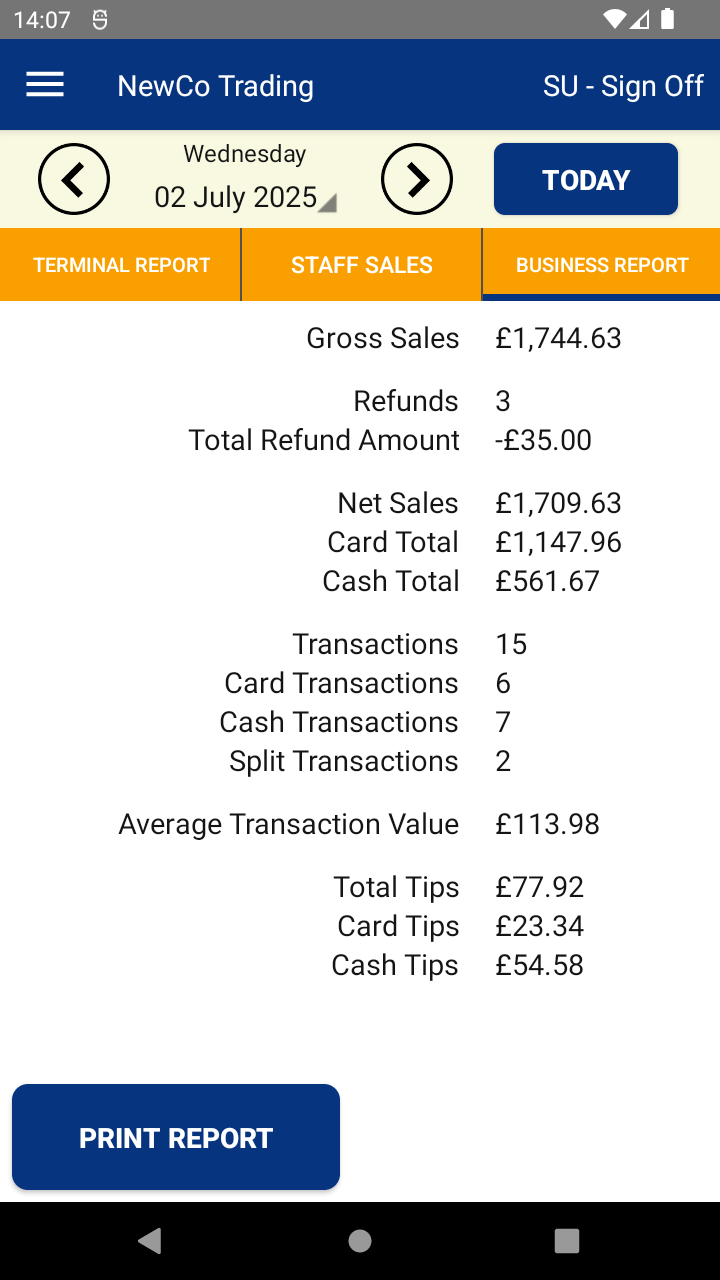
- Business Report – Daily sales totals across all devices (for multi-terminal businesses)
📅 Date Range & Printing:
- Change the report date using the controls at the top of the screen
- To print any report, tap the PRINT REPORT button at the bottom
ℹ️ More Info:

