You can view previous transactions directly on your device or via the Web Portal.
On the Device:
- Log in to the system.
- Tap the Menu ( ☰ ) button in the top left corner.
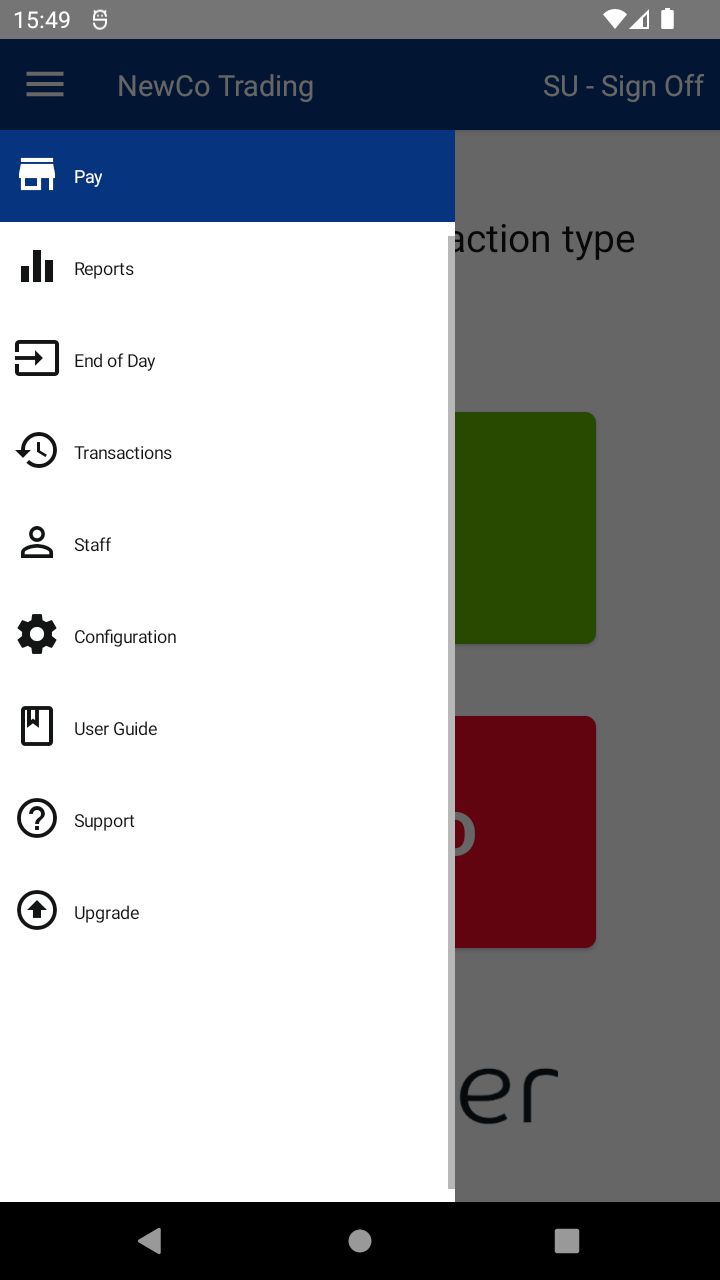
- Select Transactions from the menu.
- The Transaction History screen will display all previous transactions processed on the terminal.
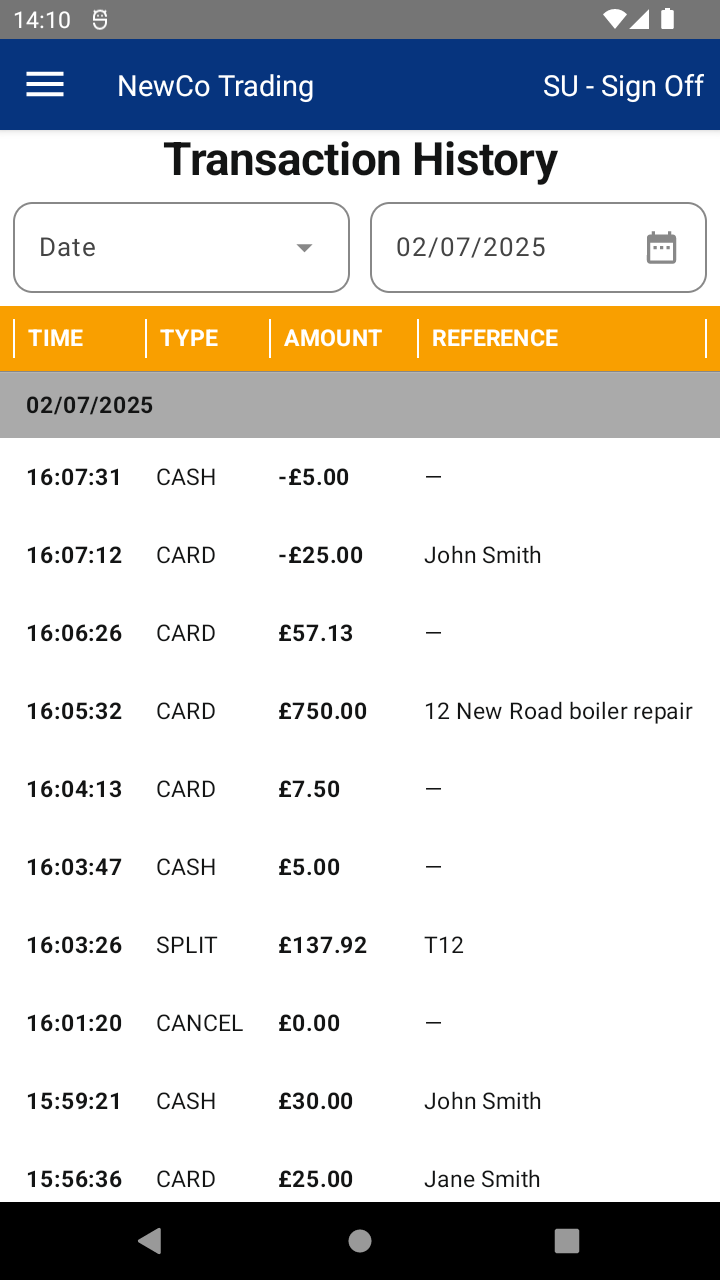
- You can search for a specific transaction using the Date, Reference, Transaction ID, or the last 4 digits of the card.
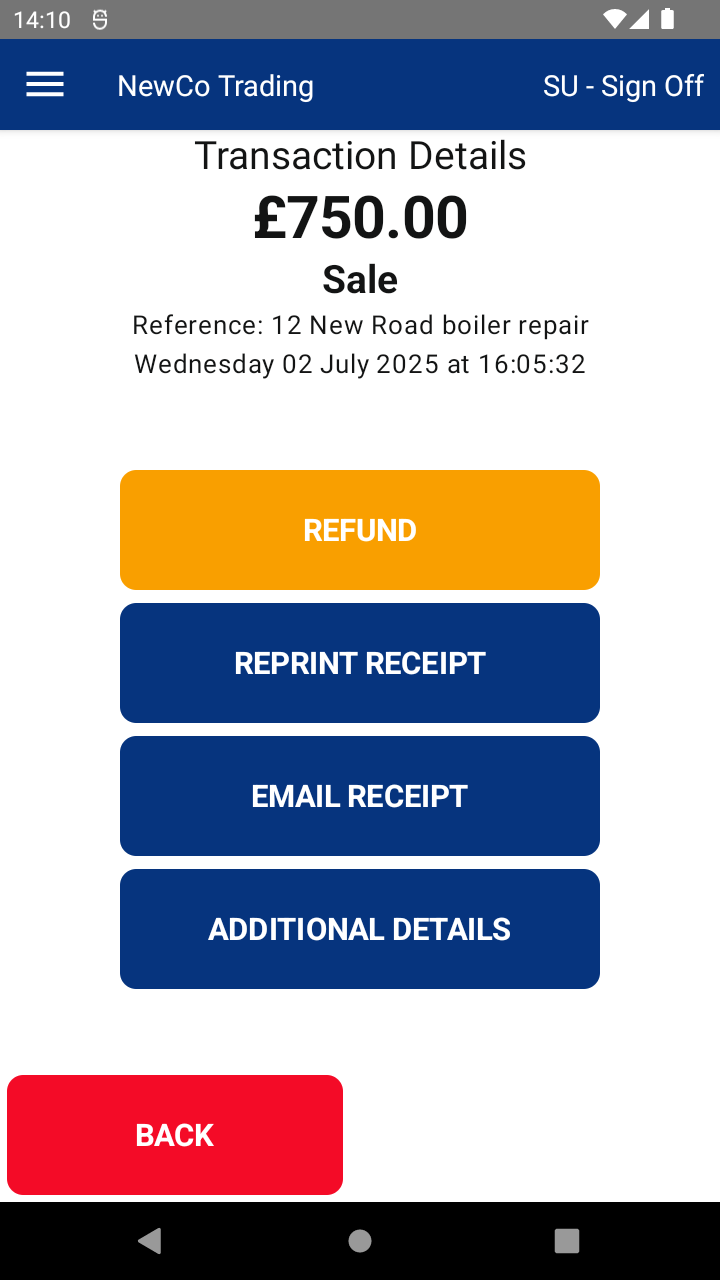
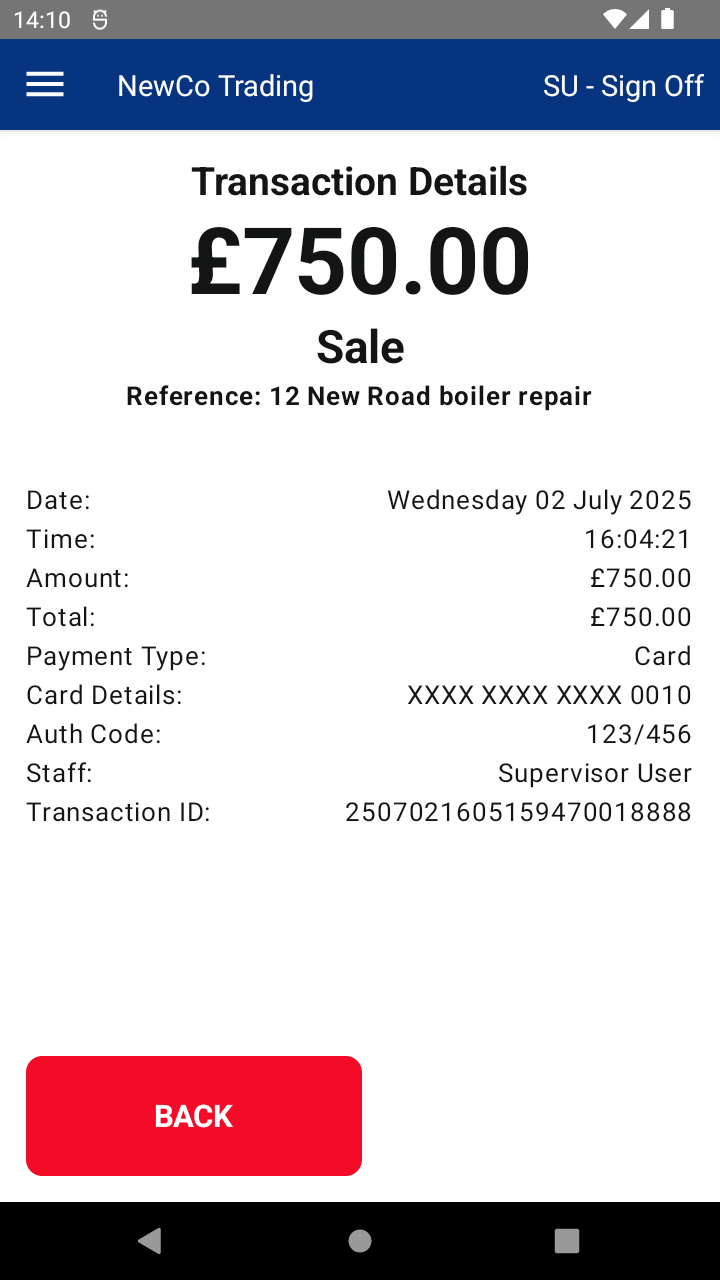
- Tapping on a transaction will provide additional options, such as:
- Performing a Refund
- Viewing full transaction details
- Reprinting the receipt
On the Web Portal:
- Previous transactions can be accessed through the Pay Transaction Summary Report.
- The report offers advanced search and filter functionality by date range and device
📘 Learn more:

