The Configuration screen helps you with support and troubleshooting.
- Once logged in, tap the Menu by tapping the hamburger ( ☰ ) button in the top left corner.
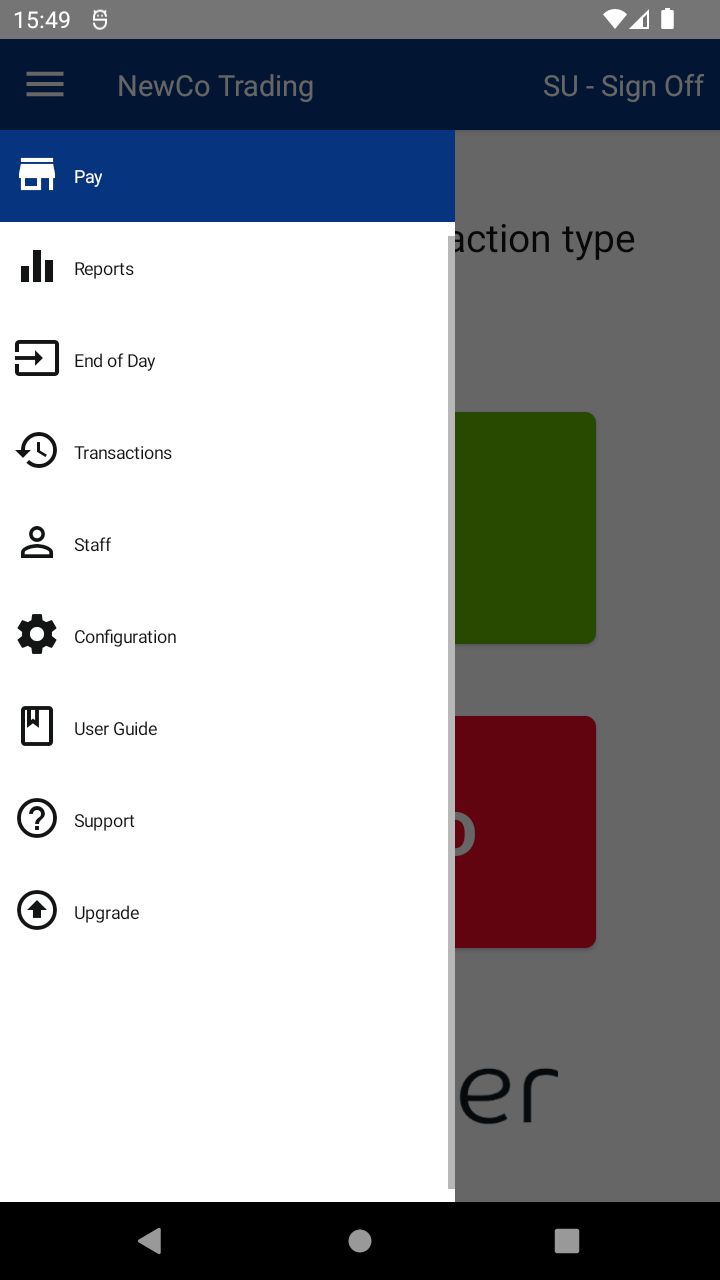
- Tap the Configuration option.
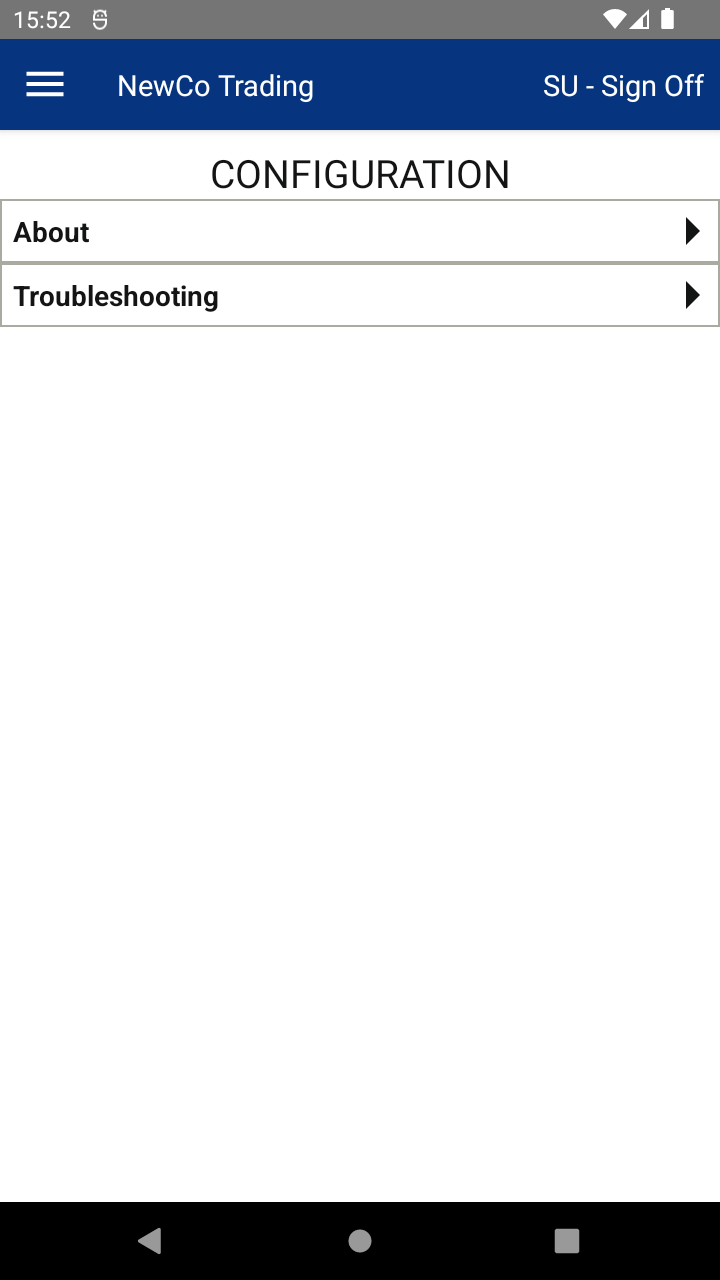
- Tap About to see useful info that might be needed when talking to your support team, including:
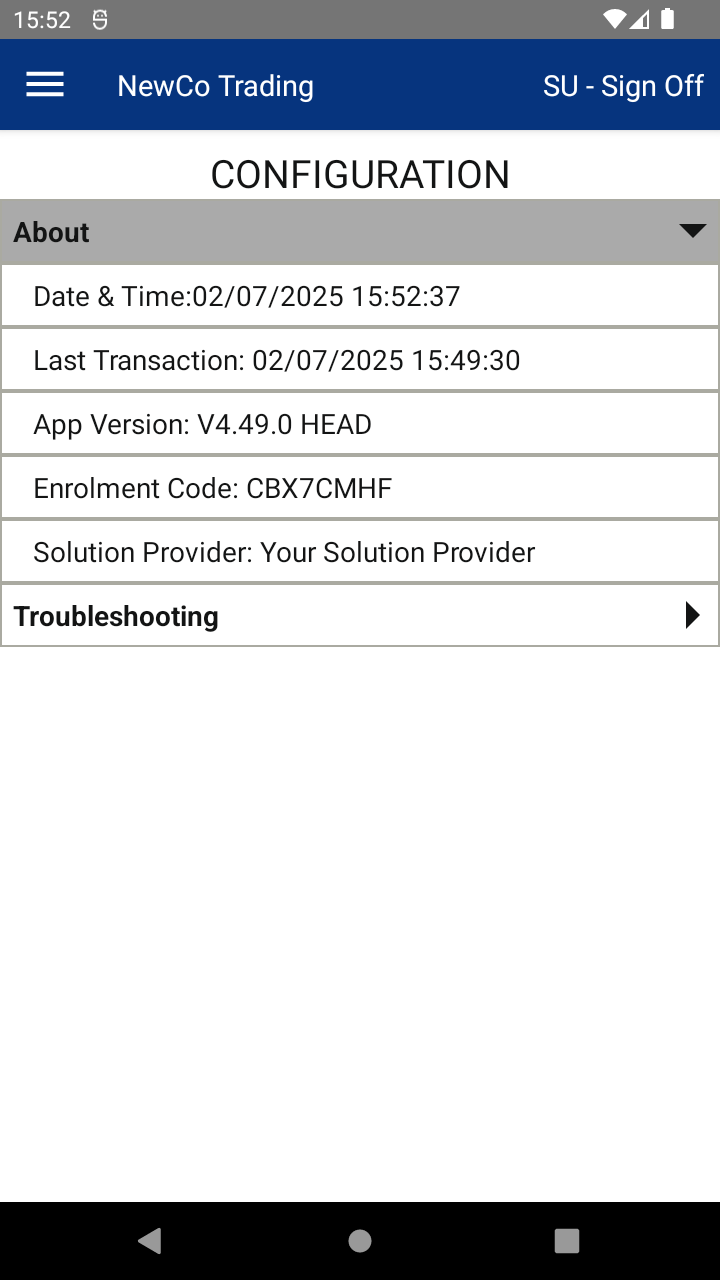
- 📅 Date & Time — the current date and time on your device
- ⏰ Last Transaction — when the last transaction happened
- 📱 App Versions — which version of the app you’re running
- 🔑 Enrolment Code — the code used to enrol and identify your device
- 🧑💼 Solution Provider — who your solution provider is
📘 Learn more:

